WeGo Forward Draft Network Map
How to Use The Map
On the interactive map below, you can explore individual routes on the map by clicking on the route name on the left-hand side panel or clicking on the search icon on the top right corner to search for a route name or a location.
Note: The map may take a few moments to load during which time you may see a gray box.
To toggle the map layers and legend click on the ‘eye’ icons on the right side of the map. Routes are colored by type of service:
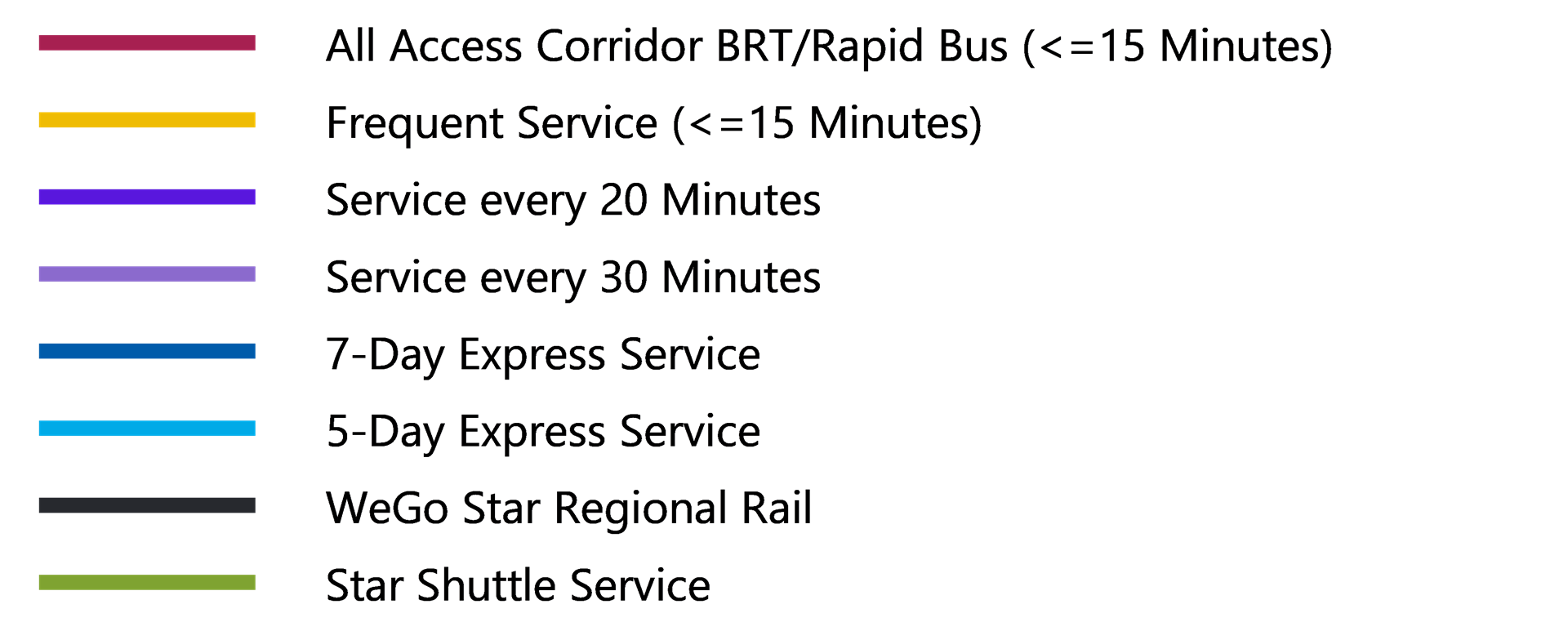
Not Shown: WeGo Link. This service is to be provided county-wide.
Providing Input on The Map
Click on "Comments" in the upper right-hand corner or press Shift + C to provide a comment about a specific aspect of the proposal.
WeGo Public Transit will not be able to respond to comments posted on the interactive map directly. If you desire a response from WeGo Transit, please use the "Contact Us" tool at the bottom of the project homepage.
We'll keep you in the loop about route changes and more from WeGo.